Master Your Next Pitch with the Barince Google Slide Template
Creating a presentation that captures attention and communicates your message clearly can be a daunting task. Whether you're pitching a new business idea, presenting quarterly results to your team, or creating educational content, the visual foundation of your slides matters immensely. The Barince Google Slide Template offers a robust solution designed to streamline your workflow while delivering a polished, professional result. This isn't just another set of pre-made slides; it's a comprehensive toolkit built for real-world application, providing the structure and flexibility needed to tell your story effectively.
A Visual Foundation for Diverse Projects
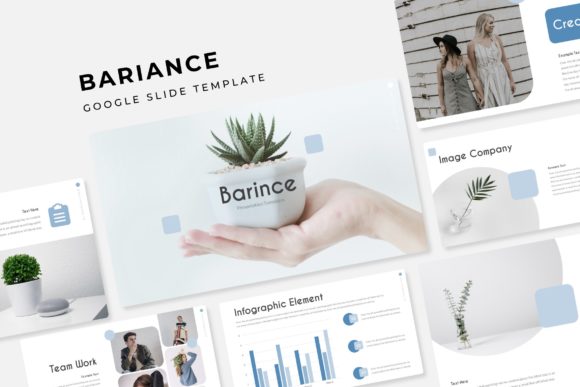
The core strength of the Barince template lies in its thoughtful design and extensive library. With over 150 total slides organized into five premade color themes, you receive 30 distinct slides for each color variation. This structure eliminates the guesswork from color coordination, allowing you to select a palette that aligns with your brand identity or the specific mood of your presentation from the outset. The design features handcrafted infographics, which are invaluable for transforming complex data into digestible, engaging visuals. Instead of struggling to build charts and diagrams from scratch, you can leverage these pre-designed elements to illustrate statistics, processes, or timelines with clarity and aesthetic appeal.
Practicality is woven into every aspect of the template. Section break slides provide a clear visual demarcation between different parts of your narrative, helping your audience follow the logical flow of your content. Dedicated gallery and portfolio slides are included, recognizing that many presentations need to showcase work, products, or case studies visually. These layouts are optimized to make your images the star, providing clean frames and ample space for context. The technical execution is equally considered; all graphics are resizable and editable, built upon master slides. This master slide foundation ensures consistency across your entire deck. When you make a change to the master—such as updating a logo position or a footer style—it automatically propagates throughout all related slides, saving you significant time and preventing formatting errors.
Designed for Real-World Efficiency
One of the most significant barriers to creating beautiful presentations is the time investment. The Barince template addresses this head-on with features that prioritize efficiency without sacrificing quality. The picture placeholders are designed for drag-and-drop functionality. This means you don't need to meticulously resize and crop every image. Simply drag your photograph from your desktop into the designated area, and it will automatically conform to the placeholder's shape and proportions. This feature is a game-changer for anyone who regularly updates presentations with new content, such as marketers highlighting recent campaigns or designers showcasing a new portfolio piece.
The pixel-perfect illustrations included are not merely decorative; they are functional assets. These vector-based graphics can be scaled to any size without losing resolution, ensuring your slides look sharp on everything from a laptop screen to a large conference room projector. The visual style is modern and clean, avoiding overly trendy elements that might date quickly, instead focusing on timeless design principles that ensure your presentation looks current for longer. For professionals who need to maintain a consistent brand experience across multiple touchpoints, this template serves as a reliable brand asset. By using the same color themes and design language, you reinforce brand recognition every time you present.
Practical Applications Across Industries
The utility of a well-structured presentation template extends far beyond the boardroom. Consider the small business owner preparing a proposal for a potential partner. Using the Barince template, they can present their business model, market analysis, and financial projections with a level of professionalism that builds immediate credibility. The pre-built infographics can illustrate growth metrics or competitive advantages, making the data persuasive rather than just informational.
For educators and trainers, the template's clear section breaks and logical slide progression are ideal for structuring course material or workshop content. The ability to easily swap out color themes allows for creating distinct modules or series, providing visual variety that helps maintain student engagement over multiple sessions. Marketing teams will find immense value in the gallery slides for campaign wrap-ups or creative briefs. Instead of sending a static document, they can present a dynamic, visually rich recap of social media graphics, website banners, and print materials, all within a cohesive and branded presentation environment.
Creatives and freelancers, such as graphic designers or photographers, can leverage the portfolio slides to showcase their work in client meetings. The drag-and-drop image placeholders make it simple to update the portfolio with recent projects, ensuring the presentation is always current. The clean, minimal design of the slides ensures the focus remains squarely on the work being presented, not on distracting template elements.
Getting Started and Making It Your Own
Upon downloading the Barince package, you will find five PPTX files for standard presentations and five PPTX widescreen files, catering to different display formats. A "Readme First" file is included to guide you through the initial setup. It's crucial to note that while the template provides a comprehensive visual framework, the placeholder images used in the preview are for illustration only and are not included in the download. You will need to supply your own photographs and graphics.
The fonts used in the template are free for commercial use, and download links are provided, ensuring you can maintain the intended look without additional licensing costs. To begin customizing, simply open the file in Google Slides. Start by reviewing the master slides to understand the foundational design. You can then apply your brand colors to the premade themes or adjust the existing palettes. Replace the placeholder text with your content, and use the drag-and-drop image areas to insert your visuals. Because the graphics are fully editable, you can adjust colors, sizes, and positions to perfectly match your specific needs. The key is to use the template as a starting point—a robust skeleton that you flesh out with your unique content and brand personality.
Ultimately, the Barince Google Slide Template is more than a collection of slides; it's a productivity tool designed for individuals and teams who value both aesthetics and efficiency. It reduces the technical friction of presentation design, allowing you to focus on what truly matters: crafting a compelling message and connecting with your audience. Whether you're building a brand, educating a class, or closing a deal, having a reliable and visually coherent foundation can make all the difference in how your ideas are received and remembered.