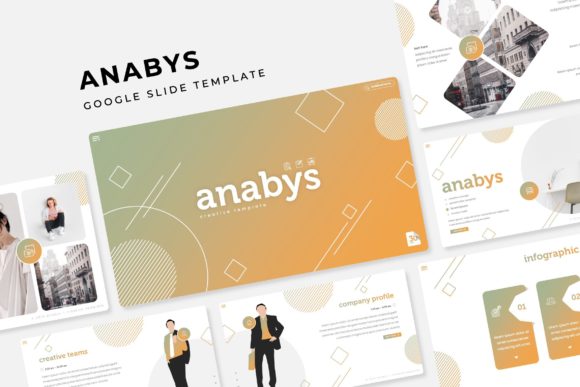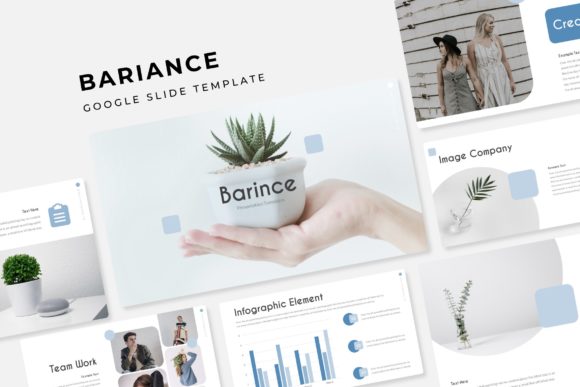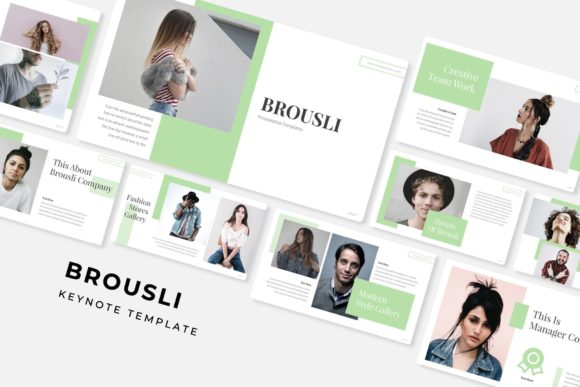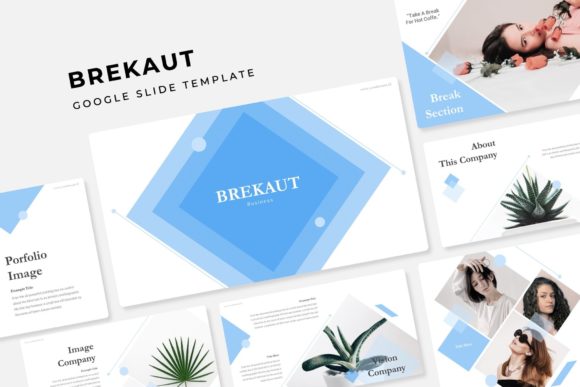
Ganama: Crafting Cohesive Visual Stories with 150+ Slides
Standing in front of a projector screen or logging into a video conference can often feel like a high-stakes performance. Whether you are pitching to investors, onboarding new clients, or teaching a complex subject, the visual medium of your presentation speaks volumes before you even utter a word. Many of us have sat through—or worse, created—slideshows that feel disjointed, cluttered, or generic. The reality is that most default templates lack the nuance required for truly compelling storytelling. This is where the Ganama Power Point Template enters the conversation, offering a robust solution for those who need to communicate complex ideas with clarity and aesthetic precision. It is not merely a collection of slides; it is a comprehensive design system built to handle the demands of modern professional communication.
A System Built on Visual Consistency
One of the biggest hurdles in corporate and creative design is maintaining visual consistency. When you are rushing to meet a deadline, it is easy to drift off-brand, using slightly different shades of blue or inconsistent fonts across different sections. The Ganama - Power Point Template Presentation solves this by providing a structured environment that enforces brand guidelines naturally.
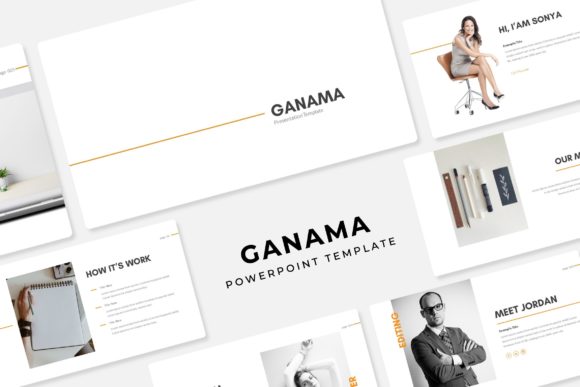
With 150+ Total Slides, the sheer volume ensures you have a dedicated layout for almost any scenario, from detailed data charts to full-bleed imagery. However, the real genius lies in the architecture. The template is built on 5 Premade colors, offering distinct moods and professional palettes right out of the box. This feature is invaluable for small business owners or marketing teams who may not have a dedicated graphic designer on speed dial. Instead of guessing which hex codes work well together, you can select a color scheme that aligns with your existing brand identity or the specific emotion you want to evoke for that particular presentation.
Each of these five color variations contains 30 Slides for each Template. This modular approach means you aren't just getting one massive, unmanageable file; you are getting five distinct thematic versions. This allows for versatility. You might use the deep, authoritative color scheme for a board meeting and switch to a brighter, more energetic palette for a creative workshop. This level of variety ensures that your presentations can adapt to different audiences without losing the core structural integrity of your message.
Functionality Meets Aesthetic: The Features That Matter
For the modern content creator or entrepreneur, time is the most valuable currency. The Ganama Power Point Template is designed with efficiency in mind. The inclusion of Resizable and Editable Graphic Picture Placeholder features is a game-changer. Gone are the days of fiddling with image cropping or trying to perfectly center a photo manually. With a simple drag & drop interface, users can swap out images instantly. This is particularly useful for portfolio presentations where the visual content changes frequently, or for e-commerce businesses that need to update product shots regularly.
Furthermore, the template is Based on Master Slides. This technical feature provides the backbone for the entire design system. It ensures that if you decide to change a font or adjust the position of a logo halfway through the editing process, the change cascades throughout the entire 150-slide deck. This prevents the tedious manual work of editing each slide individually, a common frustration with lower-quality templates.
Visuals are handled with care, featuring Pixel-perfect illustrations. In an era of high-resolution screens and 4K displays, blurry or pixelated graphics can instantly cheapen your brand. These illustrations are sharp, scalable, and designed to complement the text rather than distract from it. The inclusion of Handcrafted Infographic in Powerpoint is another standout element. Data storytelling is crucial, but standard Excel charts often look dated. Handcrafted infographics allow you to present numbers, timelines, and processes in a way that feels organic and engaging, making complex data digestible for your audience.
Structure is also key to a good narrative flow. The template includes Section Break Slides and a dedicated Gallery and Portfolio slide. The section breaks provide a mental pause for the audience, signaling a shift in topic and helping to organize the presentation logically. The portfolio slides are optimized to showcase work beautifully, making this an ideal tool for freelancers, agencies, and designers who need to sell their services visually.
Practical Applications for Every Industry
The versatility of the Ganama template extends far beyond the boardroom. Its design principles apply to a wide range of visual communication needs. If you are a content creator or blogger, you can repurpose these slides into high-quality social media graphics. The layouts are perfect for creating Instagram carousels or Pinterest pins that drive engagement. By using the premade color schemes, you can maintain a cohesive feed aesthetic without spending hours in Photoshop.
For those involved in packaging design or product launches, the template serves as an excellent mood board and style guide presentation. You can use the Gallery and Portfolio slide to display mockups of your products in real-world scenarios. The clean typography and modern layout help elevate the perceived value of the product, which is essential for marketing assets.
Educators and trainers will find the infographic slides particularly useful. Teaching a new concept requires breaking down information into manageable chunks. The visual aids included in the Ganama system help bridge the gap between complex theory and practical understanding. Whether you are creating a workshop manual, a webinar deck, or a digital product guide, the structure supports a logical progression of ideas.
What's Included and How to Get Started
When you acquire the Ganama Power Point Template, you aren't just downloading a single file. The package is comprehensive to ensure you have everything you need to start immediately. What’s included? You receive 5 PPTX Files and 5 PPTX Widescreen versions, ensuring compatibility with standard and modern display ratios. The widescreen format is particularly important today, as most laptops and conference room monitors utilize a 16:9 aspect ratio.
Additionally, the package includes a Readme First file. This is an essential resource that guides you through the setup process, ensuring you understand how to utilize the master slides and placeholders effectively. Typography is also covered; the Font used (free font download link included) ensures you don't have to hunt for compatible typefaces. This removes a common barrier to entry where a template looks different on your computer because you are missing the specific font files used in the design.
It is important to note that All photographs or pictures used in the preview are not included, they are intended for illustration purpose only. This is standard practice in the design asset industry. It encourages users to insert their own high-quality, relevant imagery. A template is a skeleton; your unique content, brand assets, and photography are the flesh that brings it to life. By inserting your own visuals, you ensure the presentation feels authentic to your specific brand rather than looking like a generic stock photo compilation.
Elevating Your Brand Identity
In the crowded digital landscape, visual identity is your first handshake with a potential client or customer. Using a premium template like Ganama signals that you value quality and attention to detail. It moves your presentations away from the "default" look that everyone recognizes and toward a custom-tailored aesthetic that builds trust.
Whether you are a startup founder trying to secure funding, a marketer launching a new campaign, or a designer showcasing your portfolio, the tools you use reflect your standards. The Ganama Power Point Template provides the infrastructure to present your ideas with the professionalism they deserve. It combines the technical robustness of Master Slides with the creative freedom of editable graphics, striking a balance that few templates manage to achieve.