Brekaut: A Versatile Google Slides Template for Modern Presentations
Imagine you're preparing a crucial pitch for a potential client or a keynote for an industry conference. The content is solid, your script is polished, but the presentation itself feels... generic. We've all been there, wrestling with default templates that fail to capture the energy or professionalism of our message. This is where a thoughtfully designed asset like the Brekaut Google Slide Template steps in, transforming a standard slideshow into a compelling visual narrative.
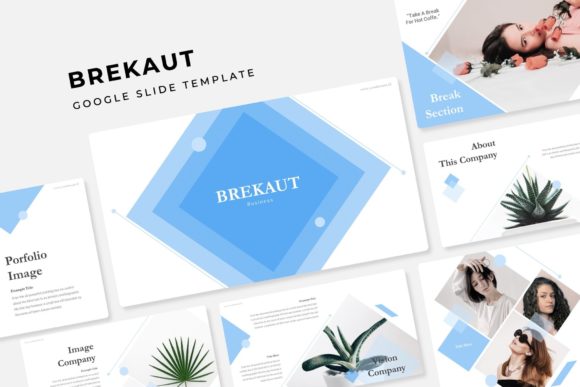
At its core, the Brekaut template is more than just a collection of slides; it's a complete presentation system designed for clarity and impact. With over 150 total slides built on a foundation of master slides, it offers a level of structure and consistency that saves hours of manual formatting. The true strength lies in its organization: five premade color palettes, each containing 30 meticulously crafted slides. This means you can instantly adopt a cohesive visual identity—whether you're going for a bold, energetic vibe or a calm, corporate tone—without starting from a blank canvas.
Design That Works as Hard as You Do
For small business owners and entrepreneurs, time is a precious commodity. The Brekaut template understands this. Features like the drag-and-drop picture placeholder and fully resizable, editable graphics mean you can customize a professional deck in a fraction of the time it would normally take. Need to swap out a team photo? Simply drag your image into the placeholder. Want to adjust the size of an infographic to emphasize a key statistic? Every element is flexible. This practical, user-centric design philosophy makes it accessible for marketers who aren't full-time designers but still need to produce polished, on-brand materials.
The handcrafted infographics and section break slides are particularly valuable for telling a data-driven story. Instead of presenting dry numbers in a table, you can use these visual elements to guide your audience through complex information, making your insights more memorable and persuasive. The inclusion of gallery and portfolio slides further extends its utility, perfect for creatives—photographers, designers, consultants—who need to showcase their work within a proposal or case study presentation.
Beyond the Slideshow: A Foundation for Brand Cohesion
While built for Google Slides and PowerPoint, the design principles within Brekaut have broader applications for your brand identity. The clean typography, balanced layouts, and thoughtful color schemes can serve as direct inspiration for other projects. Considering a refresh for your social media graphics or website banners? The visual language established in your presentation can be adapted to create a unified look across all platforms. This kind of visual consistency is key to building brand recognition. When your audience sees the same color palette and design style in a webinar, an Instagram post, and a PDF guide, it reinforces your professional image and makes your brand more memorable.
The template’s pixel-perfect illustrations and modern typography also speak to a current design trend: clarity and professionalism without sacrificing personality. It’s a versatile asset that can support a range of goals, from a sleek investor pitch to an engaging workshop for a creative community.
Making It Your Own: Practical Implementation Tips
To get the most out of a template like Brekaut, start by selecting the color variation that best aligns with your project's emotional tone. A vibrant palette might suit a product launch, while a muted one could be ideal for a formal report. Next, focus on the master slides. Understanding how they work allows you to make global changes efficiently—adjusting the master font once will update it across all 30 slides in that color set.
When adding your content, leverage the pre-built layouts. If you have a list of key features, use the slide designed for bullet points. If you need to compare two options, look for a side-by-side layout. This not only ensures visual harmony but also improves the flow and readability of your presentation for your audience. Remember, the goal is to enhance your message, not distract from it with cluttered designs.
Finally, consider the included assets as part of a larger toolkit. The readme file and font links are there for a reason—installing the recommended free fonts ensures your presentation looks exactly as intended when you open the file. While the template photographs are for preview only, they provide excellent direction for the style of imagery you might want to source for your own projects, maintaining the cohesive aesthetic.
In a landscape where visual communication is paramount, having a reliable, adaptable design foundation is a significant advantage. The Brekaut template offers a structured yet creative starting point, empowering professionals across industries to deliver presentations that are not only informative but also visually engaging and brand-consistent. It’s a practical tool for anyone looking to communicate ideas with greater clarity and confidence.